If you've been hesitant at all about getting started with cryptocurrencies, this guide will help you overcome any fears and walk you through the process of taking that first step.
Like most things in life, it really is only scary until you actually do it. After you've done it once, you shake your head and wonder what you were worried about in the first place!
To give you a quick background, I've summed up the basics in this short, 7 minute video below.
After watching the video you'll have a good idea of how you can get money out of your bank and into cryptocurrency and which apps/services you need to do it.
I also created a full step-by-step guide to support the video below.
Step-by-Step Guide To Getting Started With Crypto
If you need a little more help to get started, this step-by-step guide will show you in detail exactly what you need to do to get going.
Now, I don't claim to be a ‘crypto expert', and this doesn't cover the multitude of reasons why you'd need crypto; it just shows you how to get money out of your bank and into the cryptocurrency ecosystem and what tools and services you'll need to do it.
Apps, Services & Other Things You'll Need
- Your current fiat (gbp/usd/whatever) bank
- Your personal identification docs
- The SwissBorg app
- The Exodus Cryptocurrency wallet app
Step 1: Download SwissBorg
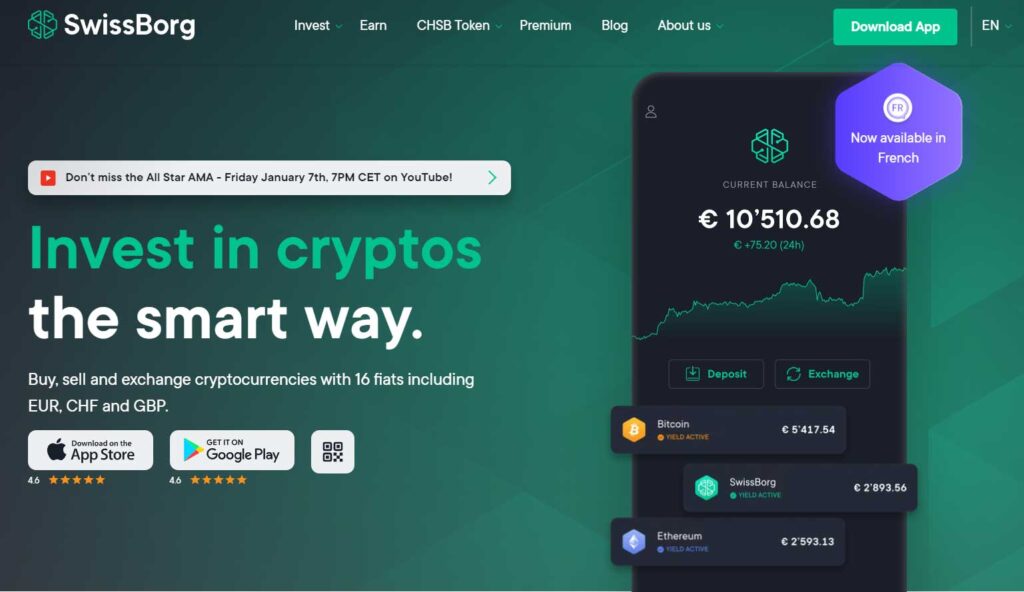
- Visit SwissBorg.com and download the app.
- Register an account by following the steps in the app. There are 3 levels of account in SwissBorg and unless you are planning to deposit and withdraw more than 5,000 EUR, you only need level 1.
If you are planning on depositing or withdrawing up to 50,000 EUR, then you will need level 2.
For unlimited amounts, you will need level 3. - For level 1, you will need to provide images of your personal identification documents including:
- Passport
- ID card
- Driver’s license
- The photo has to be of the original document, photos of a scan or a digital copy are not accepted. After that you will be asked to take a selfie.
- The photo has to be of the original document, photos of a scan or a digital copy are not accepted. After that you will be asked to take a selfie.
- Make sure that you have your verification document with you when you are ready to register in the SwissBorg App since you will need to make a picture of its front and back.
- Once your identity is checked and verified, you will receive an email notification.
Step 2: Download Exodus Wallet
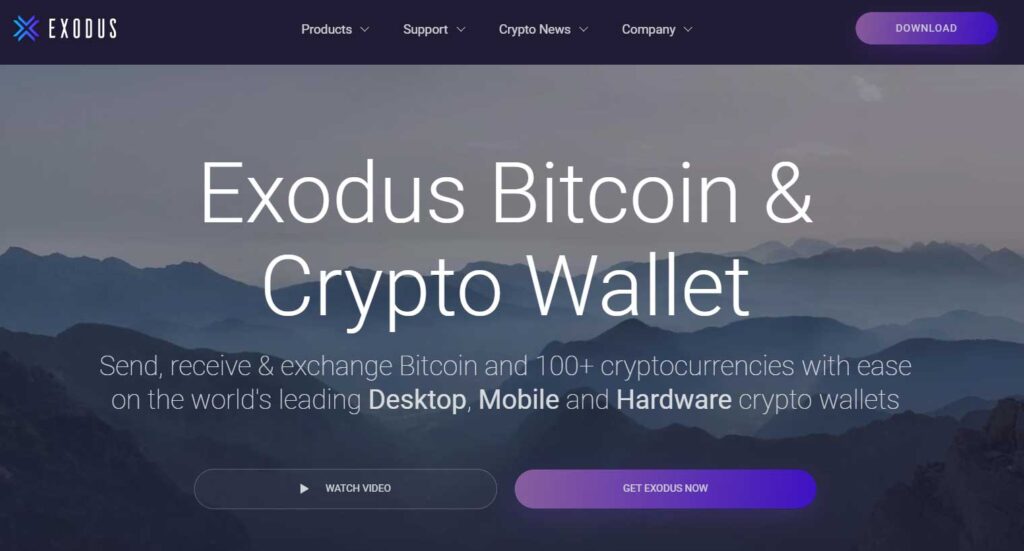
- Visit Exodus.com and download the crypto wallet.
- If downloading via mobile, after installation you will be presented with a small tutorial app. Watch this and follow the same steps in the app.
- After you've watched the tutorial and viewed the wallet, you will be presented with an option to backup your wallet. By doing this exodus will randomly generate a 12 word keyphrase for you.
Make sure you write these 12 words down because if you ever lose your mobile or need to access your exodus wallet on a different device, you will need these words. - Now that your wallet is safely backed up, you can start receiving any blockchain asset that Exodus supports.
Step 3: Making Your First Cryptocurrency Deposit
The process of making your first crypto deposit is straightforward.
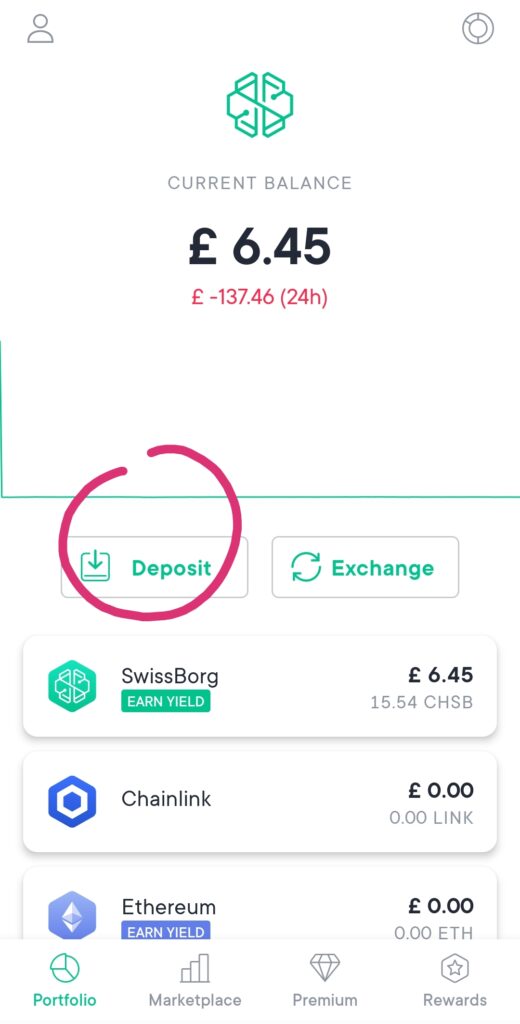
- Open up the SwissBorg app and click on the ‘deposit' button on the dashboard.
- Choose your bank currency from the currencies listed (GBP, USD etc.)
- Read and accept any notifications the app throws up.
- Take note of the SwissBorg bank details presented.
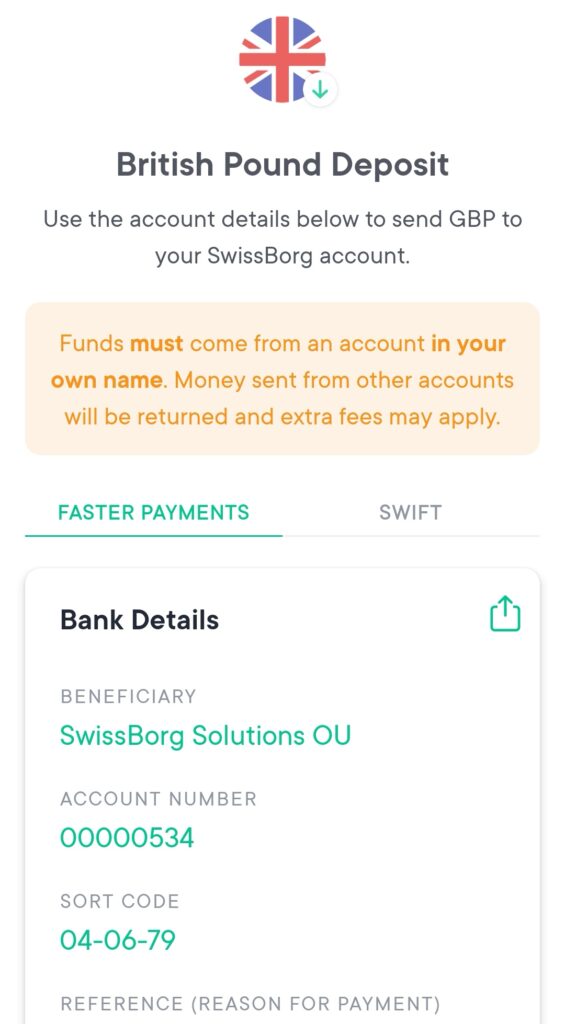
- Now you simply need to log into your existing fiat bank and make a faster payment/bank transfer from your account to the SwissBorg account using the details provided.
Please make sure you include the SwissBorg reference number exactly to ensure funds go into the right account instantly.
You will now have money in your SwissBorg account and can begin to exchange it for cryptocurrency.
Step 4: Exchange Your Fiat Money For Crypto
Now that you have GBP/USD in your SwissBorg account, you can initiate an exchange from within the app.
- To do this, simply press the ‘exchange' button on the dashboard.
You will be presented with a list of top currencies, including the GBP/USD account you just topped up. - Select the GBP/USD account you just transferred your money into. This is the account you are exchanging from.
- Now choose the cryptocurrency you want to exchange into. I always exchange into currencies I think will go up in value shortly after I exchange into them but you can choose whichever currency you like. For ease of explanation, let's just stick with Bitcoin (BTC).
- Now select how much of the GBP/USD you want to exchange into BTC.
- You will be presented with a summary of the exchange showing the exchange rate and related details. If you're happy with the exchange rate, press exchange.
And that's it! You should now have some Bitcoin (BTC).
Step 5: Making & Receiving Payments in Cryptocurrency

Although I've called this step ‘making and receiving payments in cryptocurrency‘, what we're actually going to do to illustrate this process is transfer your cryptocurrency to your new Exodus wallet.
The process you go through for doing this is the same as what you would do to buy things with cryptocurrency.
You just change the receiving address to the person you are buying from instead of your own wallet address.
Finding Your BTC Address and Receiving BTC (via Exodus)
- Open up your Exodus Wallet
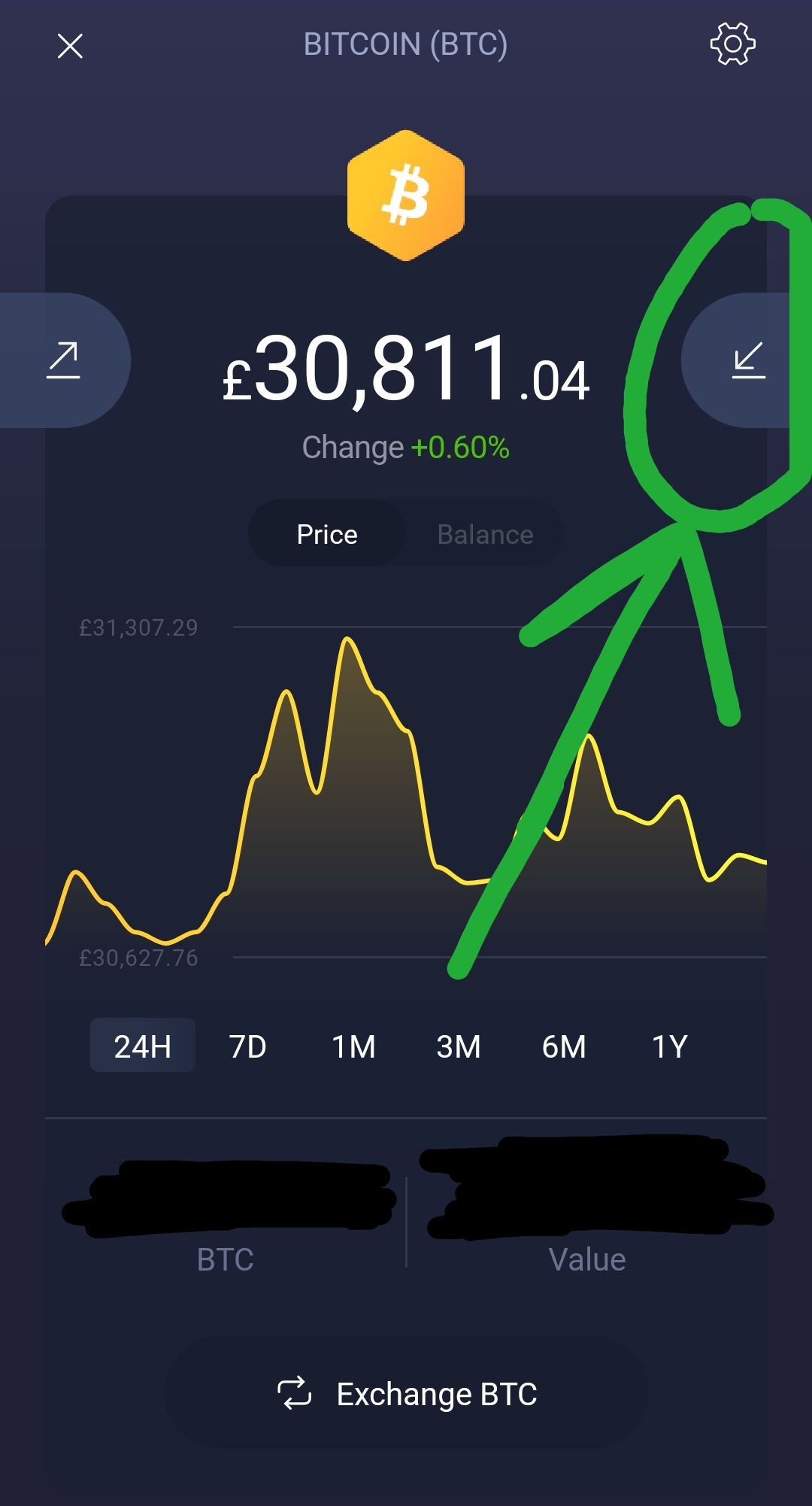
- Choose the ‘portfolio' screen (signified by the little circle icon at the bottom) and then open up the BTC currency.
- Click the incoming arrow to the right of the chart – this is the ‘receive' button.
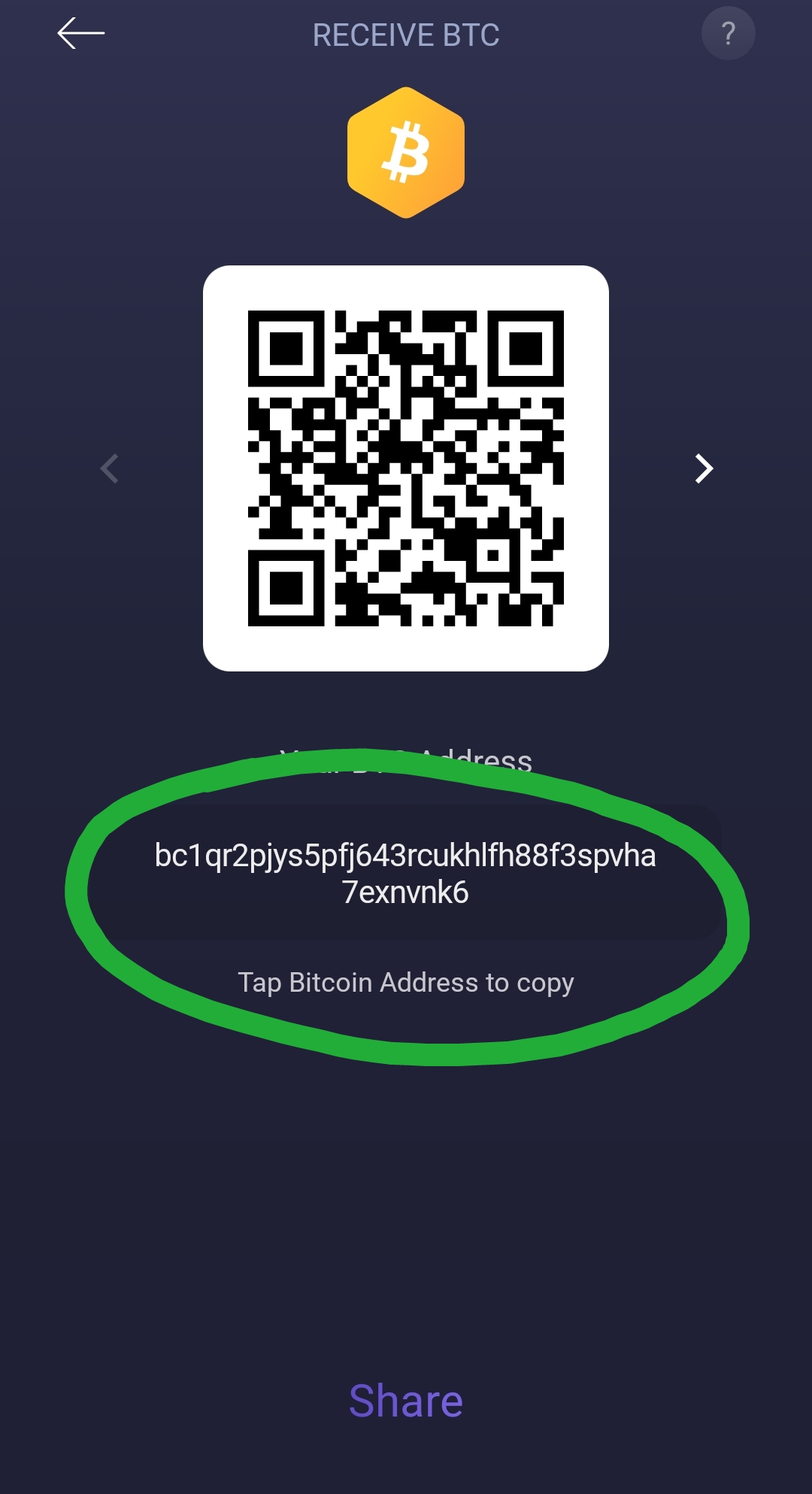
- You will now be shown a BTC address in your Exodus Wallet. Click on the address to copy it to your dashboard.
- Now you need to go into your SwissBorg account and send your BTC you exchanged just now from your fiat (GBP/USD) to your private Exodus wallet.
Sending BTC with SwissBorg
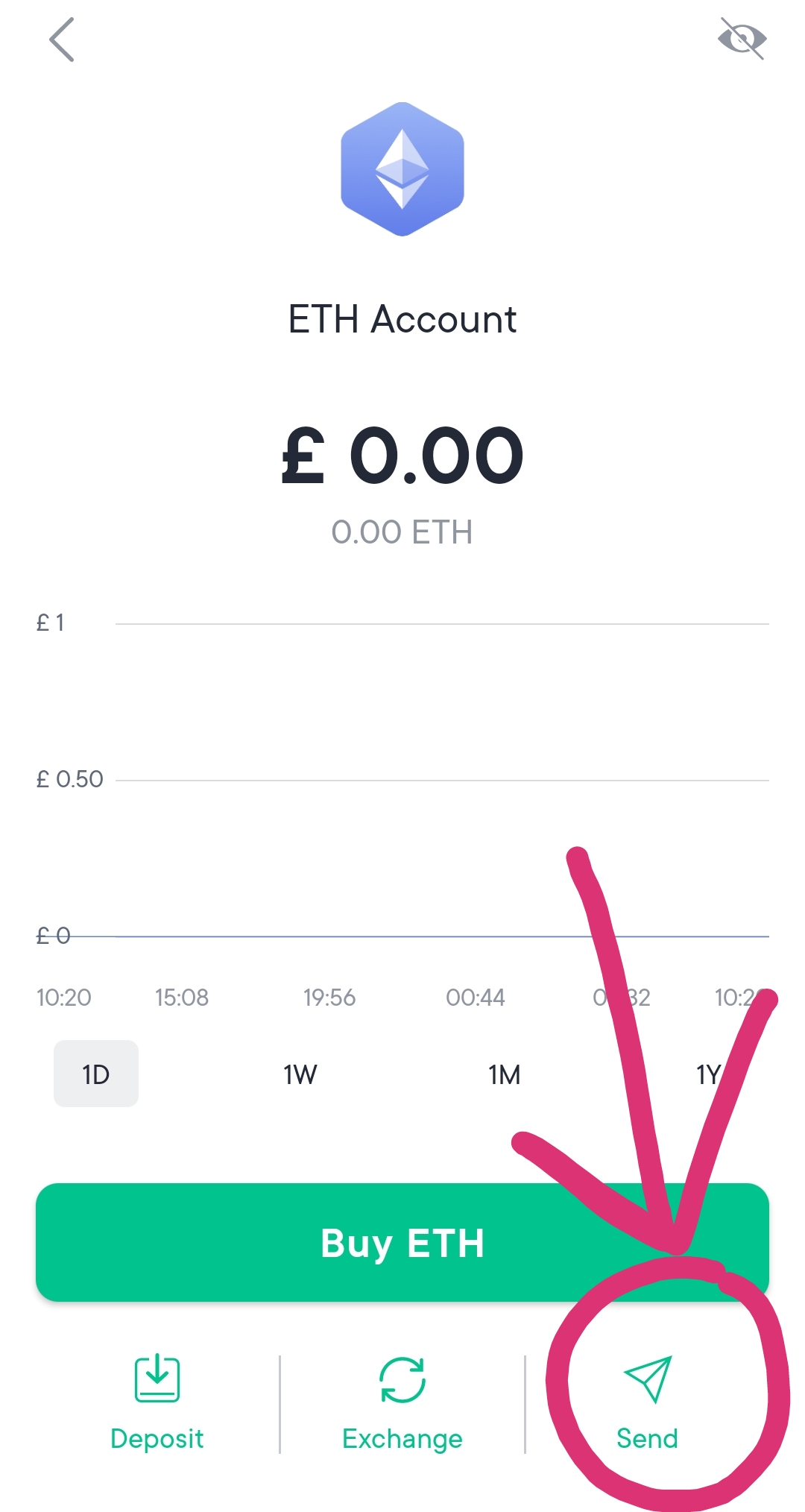
- Open up SwissBorg.
- Select the BTC currency.
- Click the little arrow in the bottom right of the screen to ‘send' crypto to an external wallet.
- Paste in your BTC address you just copied from Exodus.
- Your crypto will begin being transferred and, after being verified by the network (the ‘blockchain' – also known as crypto miners), you will receive your BTC into your Exodus wallet shortly.
Congratulations! You Now Have Crypto
If you found this guide helpful, try it for yourself by sending me a small tip to buy a coffee via BTC!

My BTC address:
bc1qr2pjys5pfj643rcukhlfh88f3spvha7exnvnk6
Make sure to attach a note with your name!
🙏